
Coin ID - Coin Identifier
AIBY Inc.Tools
4.31.15K Reviews
- Version
- 1.25.8
- Installs
- 1.00M
- Age Rating
- Everyone
Screenshots
Our Review of Coin ID - Coin Identifier
 Analysis by Appyee
I’ve lost time before trying to identify a coin by searching a date, a partial inscription, and a blurry memory of where I found it. That’s the recurring problem Coin ID - Coin Identifier is meant to ease: it gives you a photo-first way to get a likely identification and learn what you’re looking at, instead of starting with a pile of search results. For casual discoveries, that can turn a small mystery into a quick, satisfying answer.
A useful first check is better than a guess
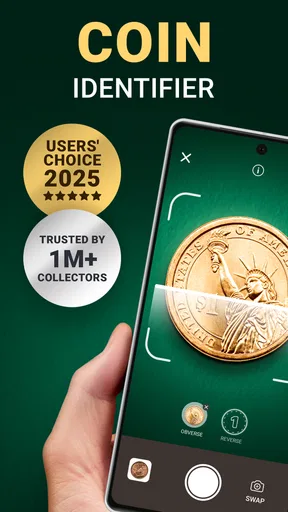
The basic workflow is straightforward: take a picture of the coin and let the app analyze it. In my experience, the biggest practical benefit is not having to know the right terminology before you begin. You can start with a coin you found in a drawer, then use the result as a lead for further checking. That makes the app approachable for someone who has never handled a reference book or learned how coin designs are cataloged.
Photo identification still depends on what the camera can see. Before scanning, I’d wipe away loose dust and place the coin on a plain, contrasting surface. A clear image of both sides is more useful than a rushed shot with glare, fingers covering the design, or several coins crowded together. If the first result seems off, changing the angle and trying again is a sensible next step rather than treating one scan as a final ruling.
That distinction matters: an identifier can help you narrow down what a coin may be, but a photo match is not the same as a professional appraisal. Wear, damage, unusual mint marks, and tiny differences between similar issues can affect identification. I’d use the result to guide curiosity and research, not as the sole basis for a sale, purchase, or insurance decision.
Getting Started with Coin ID
First off, downloading and setting up Coin ID - Coin Identifier is a breeze. It's available on both Android and iOS, so no matter your device preference, you're covered. Once you have it up and running, the interface is pretty clean and intuitive. I appreciated that because, let's be honest, who likes fumbling around with clunky apps?
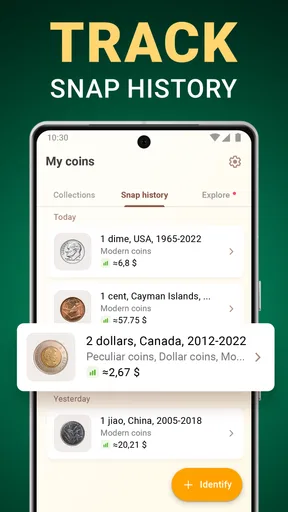
As soon as you open the app, you're greeted with a simple dashboard that guides you through the process of identifying coins. Just snap a picture of the coin in question, and let the app work its magic. The AI does its thing and voila! You get a detailed identification of the coin.
Features That Stand Out
One of the standout features has to be the accuracy. The app's AI is surprisingly adept at identifying coins from a massive database. I tested it with a few coins from my collection, ranging from old European ones to some obscure tokens, and it nailed most of them. It's like having a coin encyclopedia at your fingertips.
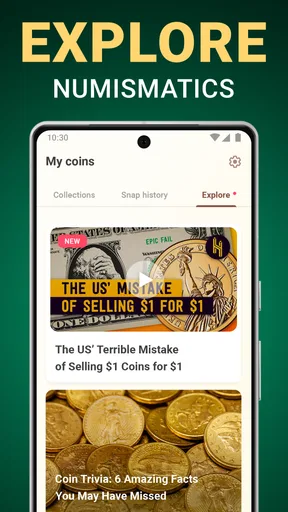
Another neat feature is the historical background it provides. Once a coin is identified, you can dive into a trove of information about its origin, era, and even its historical significance. It's not just about identifying coins; it’s about understanding their stories.
Using the history without overtrusting the match
For me, the most useful way to read an identification is to compare the details it gives with the object in my hand. Check the denomination, date, lettering, and visible design rather than stopping at a familiar-looking image. If the app suggests a coin from a particular place or period, those clues can make the next search much more focused. If key details do not line up, I’d keep the result tentative and investigate further.
This is especially helpful with mixed household finds. Imagine sorting a tin of coins after a relative moves: instead of looking up each piece from scratch, you can scan the unfamiliar ones, set aside the likely matches, and spend your research time on the exceptions. That is where the tool saves effort—not by replacing careful checking, but by helping you decide what deserves a closer look.
Who gets the most from a camera-based coin tool
I’d recommend it most to curious beginners, families sorting inherited odds and ends, and collectors who want a quick first pass while browsing a market. It can also make a good learning companion: a child can ask where a coin came from, then use the background as a starting point for a conversation about its symbols or history. The educational value comes from following up on the result, not simply collecting identifications.
Someone cataloging a serious collection may still prefer a specialist reference or a carefully maintained spreadsheet for precise records. Those options take more effort, but they let you verify details and keep information in a format suited to your own collecting habits. For a rare or potentially valuable coin, I’d also seek an experienced human opinion; visual identification alone cannot establish authenticity or condition.
Saving finds and keeping the process useful
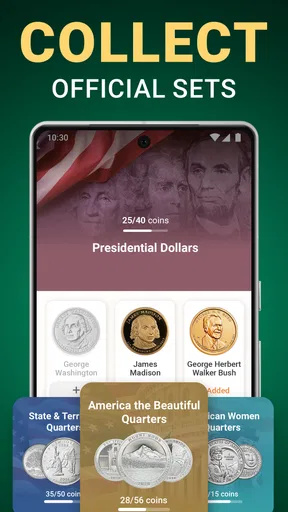
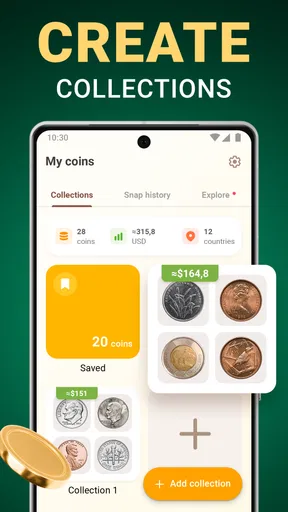
The app also allows you to save your identified coins in a personal collection. This feature is perfect for those who like to keep track of their finds or are building a collection. You can add notes and even organize them by categories.
A practical habit is to add a short note while the coin is still in front of you: where you found it, whether the identification is uncertain, or what detail you want to check later. That context can be more valuable than a bare saved entry when you return to it weeks afterward. I would avoid treating a tidy in-app collection as a substitute for a detailed catalog if you need exact provenance, valuation records, or a backup in another format.
Cost, compatibility, and everyday trade-offs
Coin ID is a free tools app from AIBY Inc., with optional in-app purchases priced from $4.99 to $49.99 per item. I’d start with the free experience and decide whether the features available there fit your routine before spending anything. The app is rated for Everyone, has a 4.2 average from around 17,000 ratings, and has passed a million installs, so it has found an audience beyond specialist collectors. It first appeared on February 24, 2023; version 1.24.4 is the current release, and it requires iOS 12 or later.
One question worth considering before relying on it regularly is whether you want quick identification or a complete collection-management system. Coin ID’s appeal is the fast photo-led lookup and the chance to explore a coin’s story. If your priority is rigorous valuation, checking authenticity, or building a fully documented inventory, a specialist catalog and expert advice are better suited to that job. The app can help you decide what to investigate, but it should not be asked to settle every question about a coin.
Why I Loved Using It
What I personally loved about Coin ID - Coin Identifier is its convenience. I mean, how often do you find yourself scratching your head over a coin you came across at a flea market or in grandpa's old collection? This app makes it super easy to satisfy that curiosity without having to leaf through dusty old books or scour the internet for hours.
Compared with a general web search, the camera-first approach is less demanding when you do not know the coin’s country, denomination, or exact wording. Search engines and collector forums can be better once you have a likely date or identifying mark, because you can compare specialist discussions and references. I see the app as a quick first stop, with those sources as the next step when a result seems unusual or important.
Some Final Thoughts
Overall, Coin ID - Coin Identifier is a gem for anyone who’s into coins, whether you’re a seasoned collector or just someone who likes to learn new things. It’s user-friendly, informative, and frankly, quite fun to use. The sheer amount of data it can access and present to you is impressive. Plus, it’s a great conversation starter when you whip out your phone to identify a coin on the spot!
If you're like me and have a penchant for discovering the stories behind those little metal discs we often overlook, then this app is definitely worth checking out. Who knew identifying coins could be this engaging? Give it a shot, and you might just find yourself becoming a coin aficionado!
My practical verdict is that it earns its place when the question is, “What might this coin be?” rather than, “What is this definitely worth?” I’d keep it handy for flea-market browsing, family sorting sessions, and those small moments when an unfamiliar coin turns up in change. If you need verified market value or a dependable record for a high-stakes collection, use it as a starting clue and bring in a more specialized source. That balance is what makes the app useful without asking it to do more than a photo-based tool can reasonably do.
Verdict
Strengths of Coin ID - Coin Identifier
- Accurate coin identification with high success rate.
- User-friendly interface for easy navigation.
- Supports a wide range of global currencies.
- Offline mode available for remote areas.
- Regular updates with new coin data.
Limitations of Coin ID - Coin Identifier
- Requires camera access for coin scanning.
- Limited features in the free version.
- Occasional false identifications reported.
- Ads can be intrusive in free version.
- Some features require a stable internet connection.
Other Releases by AIBY Inc.
View All
ChatOn - AI Chat Bot Assistant
Productivity4.5

Fonts Art - Keyboard Fonts
Personalization4.5

Plantum - Plant Identifier
Education4.4

Themify: Theme & Icon Changer
Personalization3.7
Similar Picks in This Category
View All
Google LLC4.0

Gboard - the Google Keyboard
Google LLC4.5

Google Play services
Google LLC4.3

Google Play Store
Google LLC4.9

Files by Google
Google LLC4.5

SHAREit: Transfer, Share Files
Smart Media4U Technology Pte.Ltd.4.3
Frequently Asked Questions
What is Coin ID - Coin Identifier and how does it work?
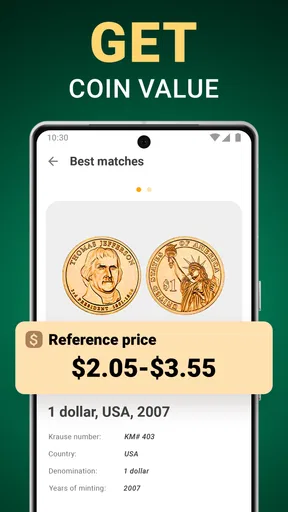
Coin ID - Coin Identifier is an app designed to help users identify and learn about coins from around the world. By using your device’s camera, the app analyzes the coin's features and provides detailed information, including its origin, history, and value. It's a handy tool for numismatics enthusiasts and casual collectors alike.
Is Coin ID - Coin Identifier free to use?
The app offers a free version with basic features, allowing users to identify a limited number of coins each day. For more extensive use and additional features like historical data and expert valuations, there is a premium subscription available. This ensures users can choose an option that best fits their needs.
What devices support Coin ID - Coin Identifier?
Coin ID - Coin Identifier is available for both Android and iOS devices. It requires a camera-equipped smartphone or tablet running Android 5.0 or higher, or iOS 11.0 or later. This ensures the app can effectively utilize the device’s camera and processing power for accurate coin identification.
How accurate is the coin identification feature?
The app utilizes advanced image recognition technology to deliver high accuracy in coin identification. While it performs exceptionally well with most coins, the accuracy can vary based on the coin’s condition and the quality of the image captured. Regular updates and a growing database ensure continually improving performance.
Does Coin ID - Coin Identifier require an internet connection?
Yes, the app requires an internet connection to access its extensive database and provide real-time information. While some basic functions might work offline, full identification capabilities and access to detailed coin histories and valuations are only available when connected to the internet.
